Nikon
To connect to your Nikon camera, you need to follow these steps:
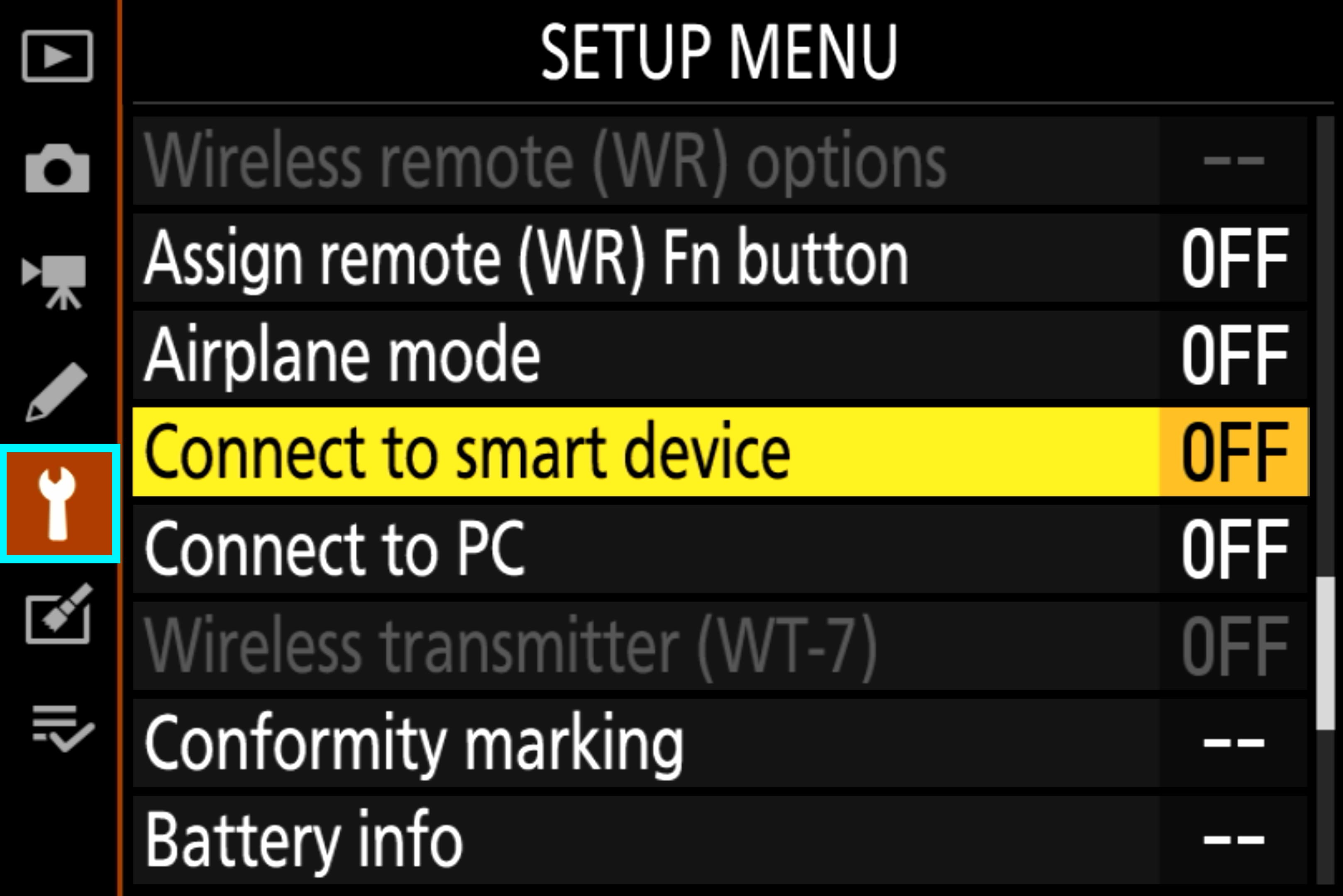
Step 1: Open the Menu and switch to the 'System' tab. Select the 'Connect to smart device' option.
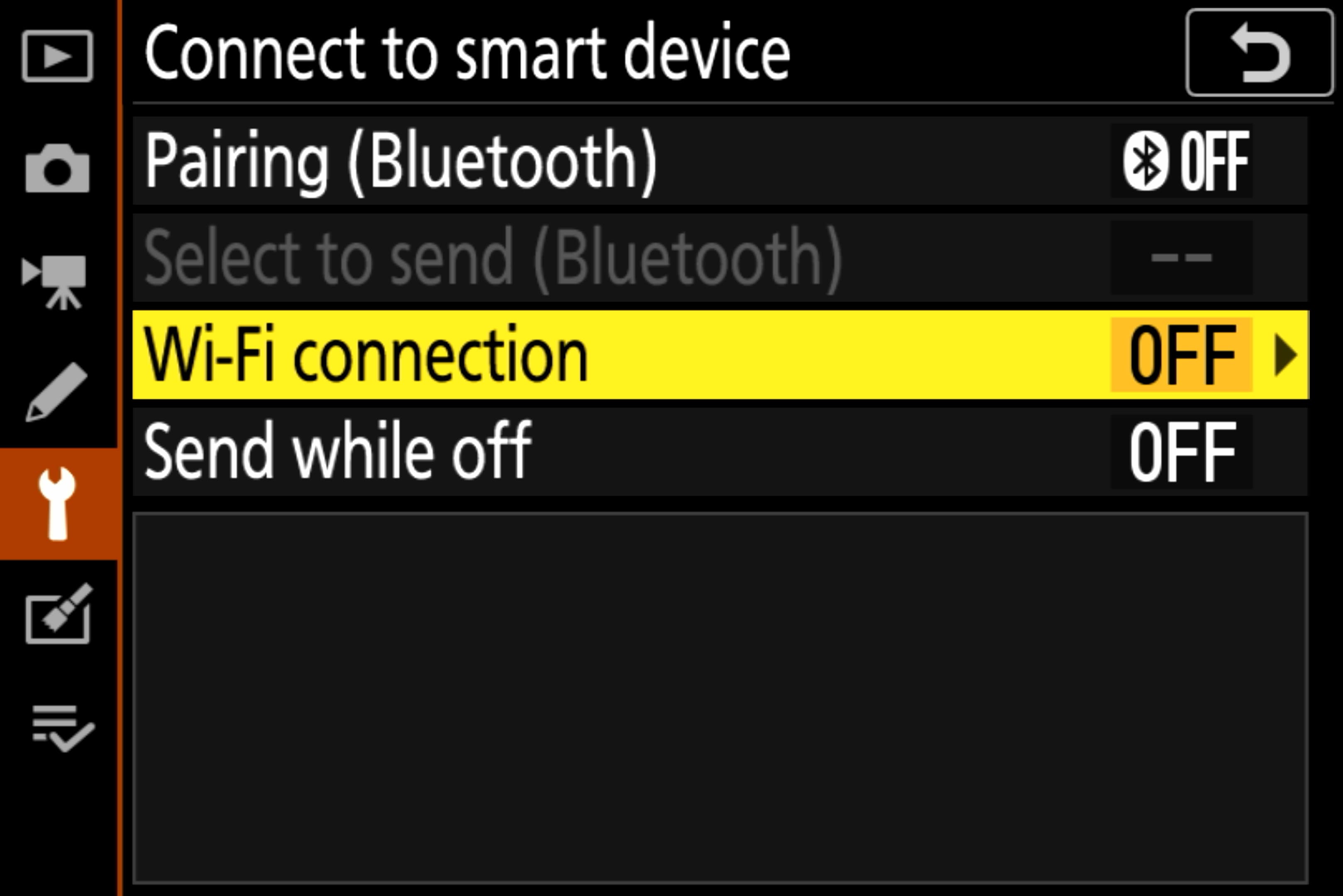
Step 2: Click on Wi-Fi connection.
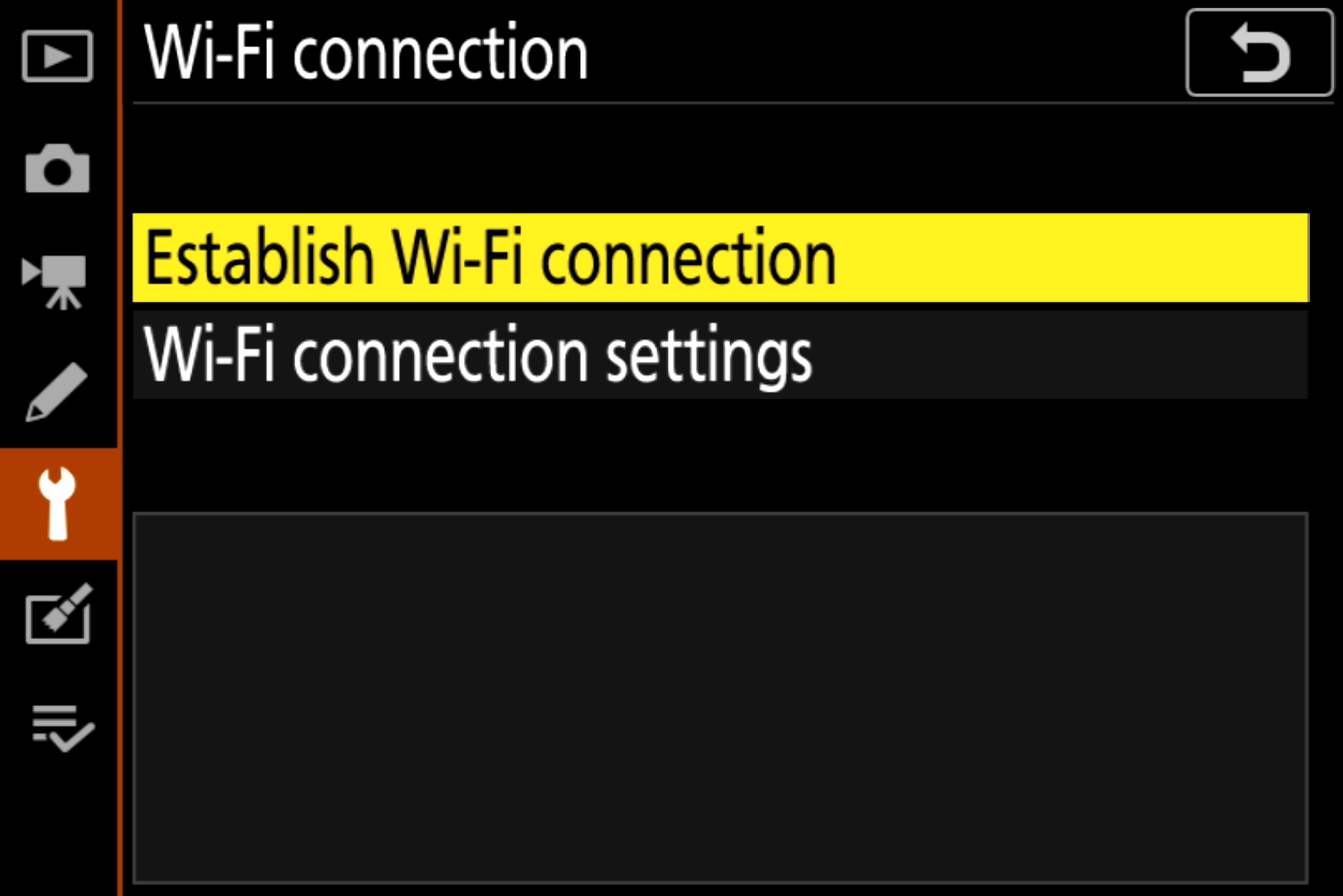
Step 3: Click on Establish Wi-Fi connection.
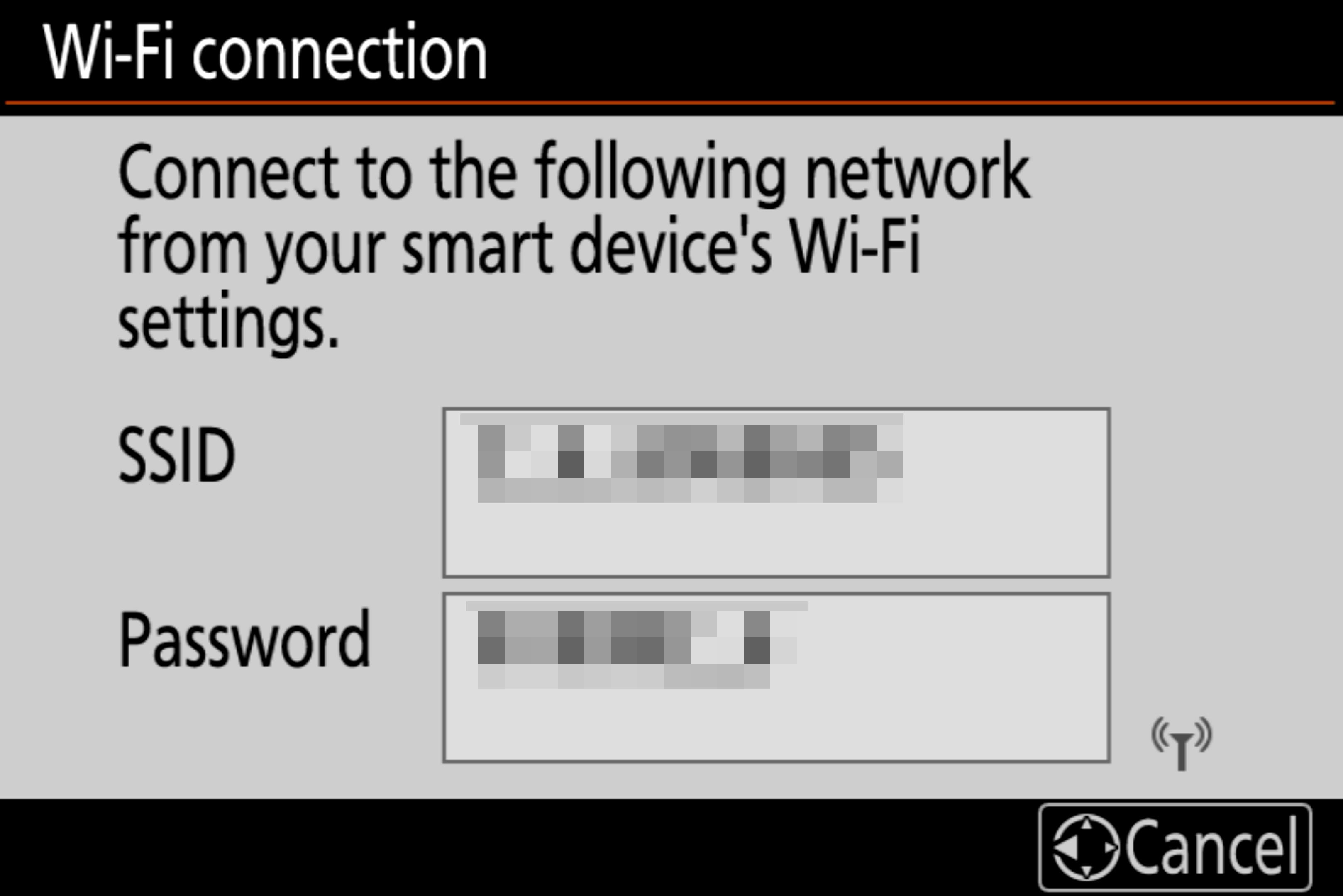
The camera has now set up a network (access point). You will now see an SSID and a password on the screen. Use these credentials to connect the device running Dusklapse to the camera's network.
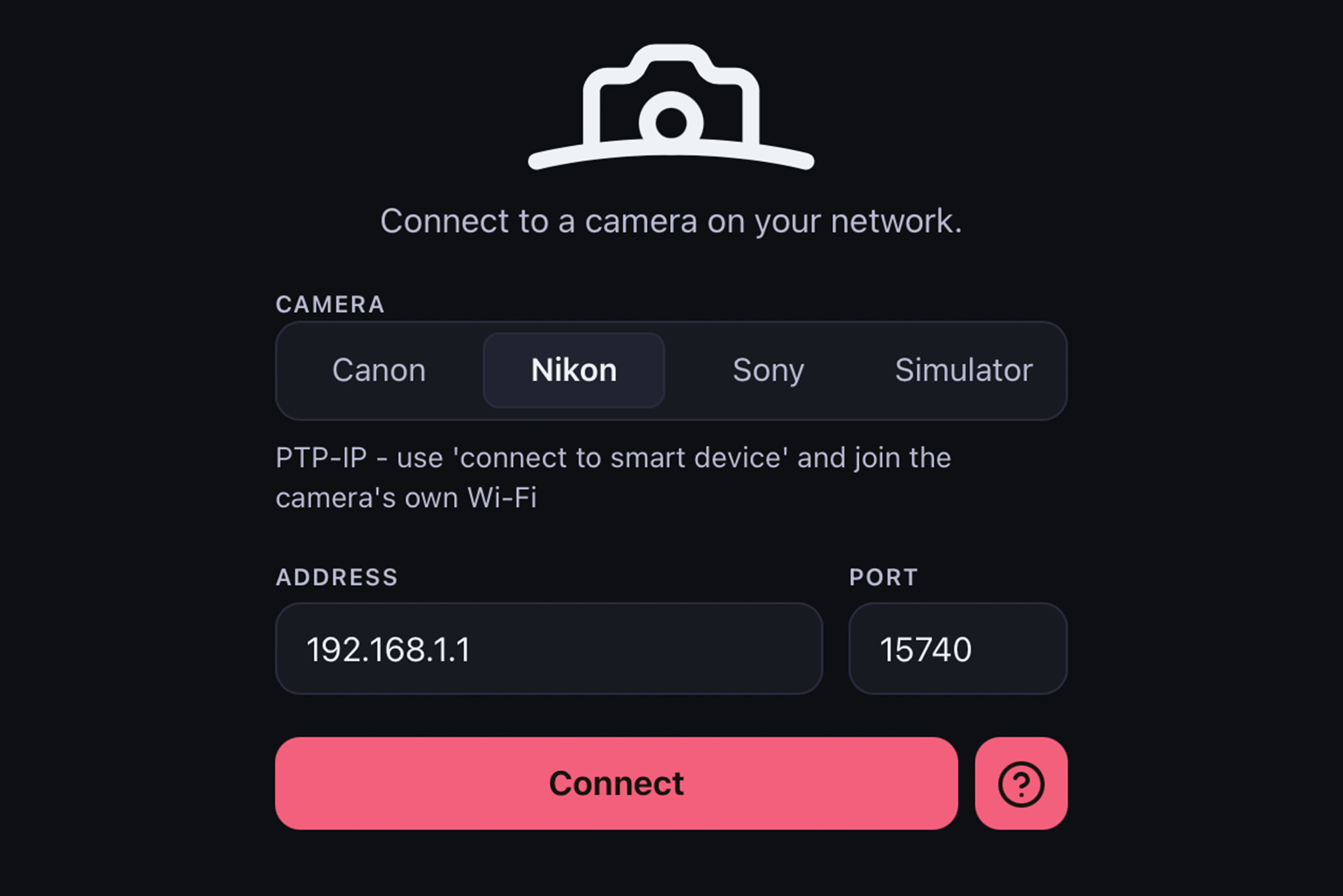
In Dusklapse, select ‘Nikon’ under ‘Camera’. The camera’s default IP address (192.168.1.1) and the PTP IP port (15740) are entered by default. Now click ‘Connect’. Dusklapse should then switch to the camera interface.
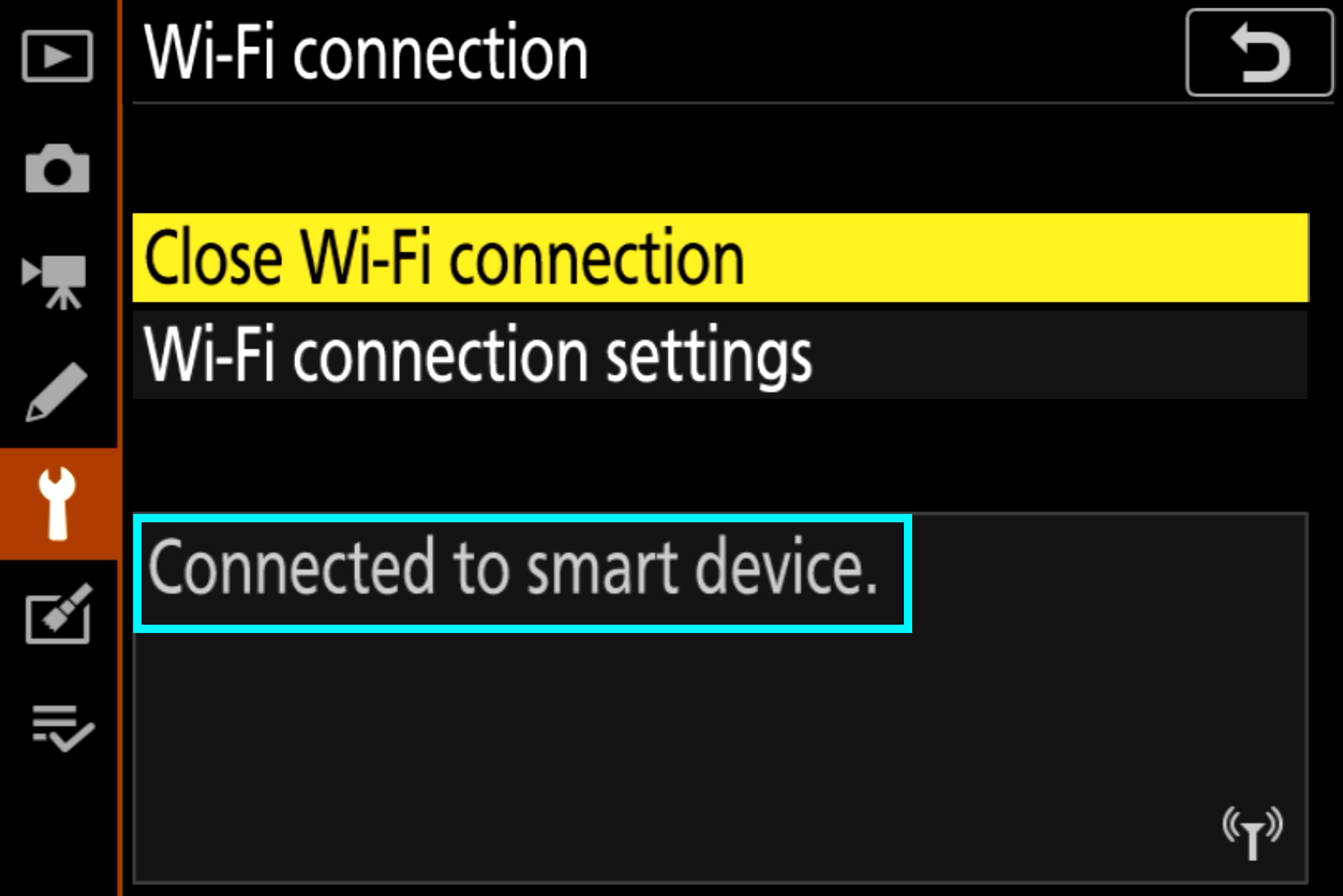
Once the connection has been successfully established, you will see the message ‘Connected to smart device’ on your camera screen.